<?xml version="1.0" encoding="utf-8"?><feed xmlns="http://www.w3.org/2005/Atom" ><generator uri="https://jekyllrb.com/" version="3.10.0">Jekyll</generator><link href="https://miguelpc.eu/feed.xml" rel="self" type="application/atom+xml" /><link href="https://miguelpc.eu/" rel="alternate" type="text/html" /><updated>2026-02-09T10:40:52+00:00</updated><id>https://miguelpc.eu/feed.xml</id><title type="html">Miguel Pérez Colino - Personal Website</title><subtitle>Personal Website of Miguel Pérez Colino - Technology Enthusiast, Open Source Advocate, and Senior Director of Product Management for Linux at SUSE. Based in Madrid, Spain.</subtitle><author><name>Miguel Pérez Colino</name></author><entry><title type="html">Agentic AI on SLES 16: Getting Started with mcphost</title><link href="https://miguelpc.eu/using-agentic-ai-on-SLES16/" rel="alternate" type="text/html" title="Agentic AI on SLES 16: Getting Started with mcphost" /><published>2026-02-06T00:00:00+00:00</published><updated>2026-02-06T00:00:00+00:00</updated><id>https://miguelpc.eu/using-agentic-ai-on-SLES16</id><content type="html" xml:base="https://miguelpc.eu/using-agentic-ai-on-SLES16/"><![CDATA[<p>Technology should serve people, and sometimes that means giving our systems tools to help us troubleshoot and understand them. In SLES 16, we’ve introduced <strong>mcphost</strong>, which implements the Model Context Protocol (<a href="https://en.wikipedia.org/wiki/Model_Context_Protocol">MCP</a>). This protocol is an open standard that enables connecting different capabilities to <a href="https://en.wikipedia.org/wiki/Large_language_model">Large Language Models or LLMs</a>.</p>

<p>I’ve put together two videos to show you how this bridge between Linux and AI actually works.</p>

<h3 id="part-1-installation-and-the-power-of-context">Part 1: Installation and the Power of Context</h3>

<p>In the first video, I walk through how simple it is to get started. We believe that powerful tools shouldn’t be difficult to set up.</p>

<ul>
  <li><strong>Simple Setup:</strong> I show how you can install <code class="language-plaintext highlighter-rouge">mcphost</code> with a single <code class="language-plaintext highlighter-rouge">zypper</code> command [00:01:02].</li>
  <li><strong>The “Brain” Connection:</strong> We look at the minimal configuration needed—just a few lines in a YAML file and an API key from Google AI Studio [00:01:32].</li>
  <li><strong>A Clever Trick:</strong> I demonstrate a “pipe trick” [00:04:49] where we pass the output of <code class="language-plaintext highlighter-rouge">ps awx</code> directly to the AI. It’s amazing to see the AI analyze the running processes and give helpful advice on system health and hardening [00:06:58].</li>
</ul>

<p><strong>Watch Part 1 here:</strong> <a href="https://youtu.be/7qep_-89wMw">SLES 16 - Install and Intro AI - MCP demo</a></p>
<iframe width="560" height="315" src="https://www.youtube.com/embed/7qep_-89wMw?si=BkaYZkq0uqvZ4Lx9" title="YouTube video player" frameborder="0" allow="accelerometer; autoplay; clipboard-write; encrypted-media; gyroscope; picture-in-picture; web-share" referrerpolicy="strict-origin-when-cross-origin" allowfullscreen=""></iframe>

<h3 id="part-2-agentic-ai-and-the-filesystem">Part 2: Agentic AI and the Filesystem</h3>

<p>The second video goes deeper into “Agentic AI.” This is where the AI becomes more than a chatbot; it becomes an agent that can safely explore your system to find problems. To do that we configure MCP servers to provide read-only access to important parts of the filesystem.</p>

<ul>
  <li><strong>Configuring Access:</strong> I show how to set up MCP servers to give the AI read-only access to critical areas like <code class="language-plaintext highlighter-rouge">/etc</code>, <code class="language-plaintext highlighter-rouge">/var/log</code>, and <code class="language-plaintext highlighter-rouge">/proc</code> [00:01:42].</li>
  <li><strong>Proactive Analysis:</strong> You can watch as the AI automatically inspects system services like Apache and Tomcat [00:03:52].</li>
  <li><strong>The “Aha!” Moment:</strong> In a real-world troubleshooting demo, the AI detects a missing JAR file that was preventing Tomcat from starting correctly [00:07:13]. It didn’t just guess; it “looked” at the logs and found the root cause.</li>
</ul>

<p><strong>Watch Part 2 here:</strong> <a href="https://youtu.be/ZDQwIqFeY_4">Agentic AI demo with MCP host in SLES 16</a></p>

<iframe width="560" height="315" src="https://www.youtube.com/embed/ZDQwIqFeY_4?si=4LaP38KTSVprF-I7" title="YouTube video player" frameborder="0" allow="accelerometer; autoplay; clipboard-write; encrypted-media; gyroscope; picture-in-picture; web-share" referrerpolicy="strict-origin-when-cross-origin" allowfullscreen=""></iframe>

<h3 id="why-this-matters">Why This Matters</h3>

<p>We put a lot of care into ensuring that SLES 16 isn’t just “another release,” but a platform that embraces the future. By bringing Agentic AI closer to the OS, in an open and standardized manner, we are making it easier for everyone—from students to experts—to keep their systems resilient and secure.</p>

<p>If you have a chance to try <code class="language-plaintext highlighter-rouge">mcphost</code> on SLES 16, I’d love to hear about the “aha!” moments you discover.</p>

<p>Happy hacking!</p>

<p>— M*</p>]]></content><author><name>Miguel Pérez Colino</name></author><category term="Linux" /><category term="AI" /><category term="SLES16" /><summary type="html"><![CDATA[February 04, 2026]]></summary></entry><entry><title type="html">Bringing Linux Closer: The Journey of the SLES 16 Official Administration Guide</title><link href="https://miguelpc.eu/SLES16-admin-book/" rel="alternate" type="text/html" title="Bringing Linux Closer: The Journey of the SLES 16 Official Administration Guide" /><published>2026-02-04T00:00:00+00:00</published><updated>2026-02-04T00:00:00+00:00</updated><id>https://miguelpc.eu/SLES16-admin-book</id><content type="html" xml:base="https://miguelpc.eu/SLES16-admin-book/"><![CDATA[<p>There is a specific kind of magic in the open-source world. It’s not just about the code; it’s about the community and the shared mission to make powerful technology accessible to everyone.</p>

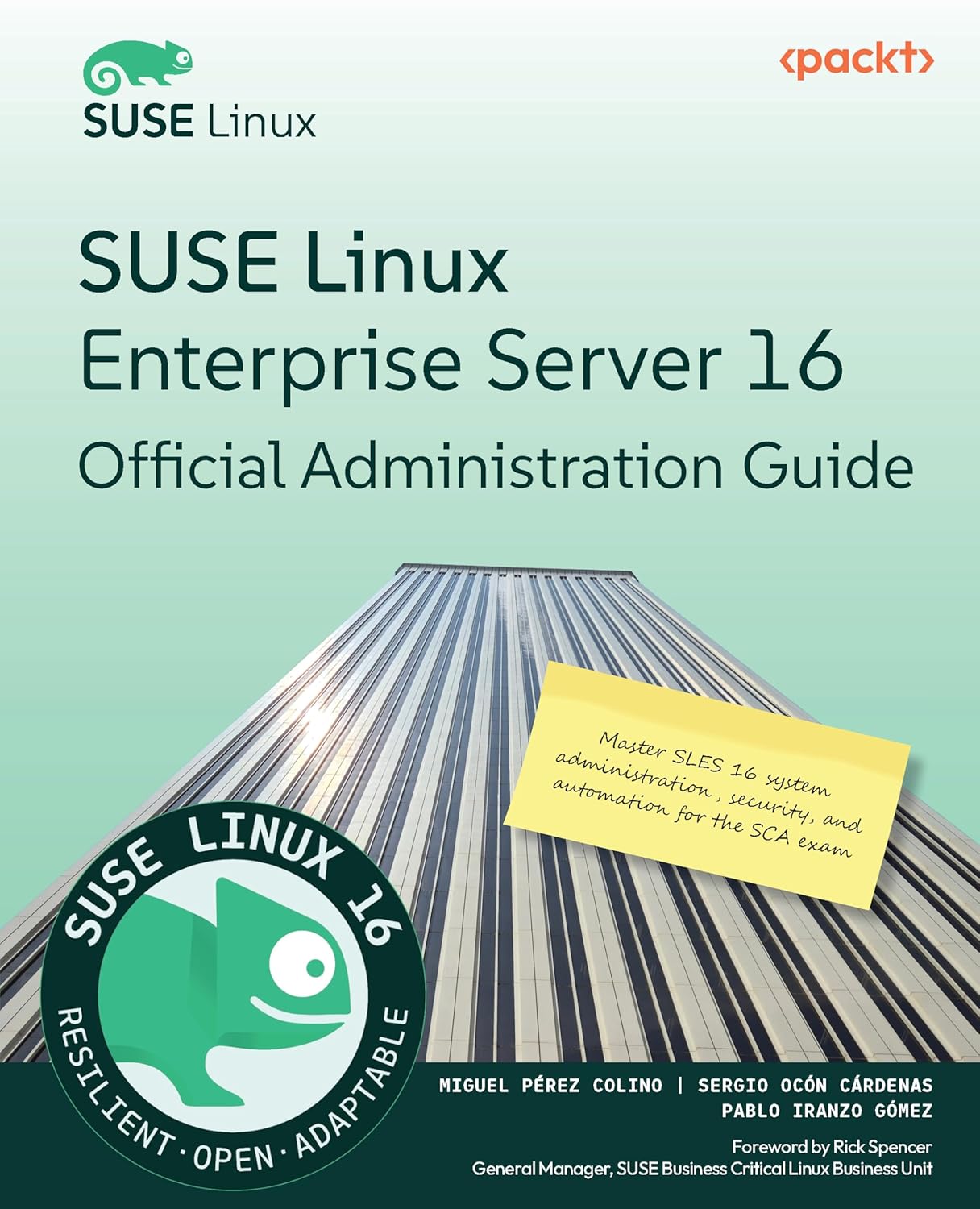
<p>It took us several months, immersed in a project that is very close to my heart. On January 7th 2026 we finally were able to share the result: the <strong>“SUSE Linux Enterprise Server 16 Official Administration Guide.”</strong></p>

<p><img src="/assets/images/2026-02-04-SLES16-admin-book/SLES16-book.cover.jpg" alt="SUSE Linux Enterprise Server 16 Official Administration Guide Book Cover" /></p>

<h3 id="more-than-just-a-manual">More Than Just a Manual</h3>

<p>When we set out to write this book, we didn’t want to create another dry, academic reference manual that sits on a shelf gathering dust. We wanted to build a bridge for people coming from other distros, as well as a gate for people entering the Linux world from other corners (Development, Newtorking, Security, Students …).</p>

<p>Our goal was to create a “how-to” guide—a collection of practical, hands-on journeys through the different parts of the operating system. The best way to enjoy it is to have your laptop next to the book and follow chapter after chapter. Whether you are a seasoned sysadmin looking for a refresh or a view on SLES, or someone just starting their Linux adventure, we wanted the text to feel like a conversation with a colleague that tells you “this is how I do it but feel free to experiment”. We put a lot of care and love into ensuring that complex topics were broken down into actionable steps, showing not just the <em>what</em>, but the <em>how</em> and the <em>why</em>.</p>

<h3 id="it-takes-a-village-or-a-great-team">It Takes a Village (or a Great Team)</h3>

<p>Writing a book of this scale is never a solo mission. It was a collaborative labor of love, and I was privileged to work with some of the best in the industry:</p>

<ul>
  <li><strong><a href="https://www.linkedin.com/in/sergioocon/">Sergio Ocón Cárdenas</a>:</strong> My fellow co-author. Navigating the depths of SLES 16 with Sergio made the process not only smoother but much more insightful.</li>
  <li><strong><a href="https://www.linkedin.com/in/iranzo/">Pablo Iranzo Gómez</a>:</strong> A huge thank you to Pablo, who provided vital content and shared his deep technical expertise to ensure we covered the right ground.</li>
  <li><strong><a href="https://www.linkedin.com/in/apramit-bhattacharya-223901235/">Apramit Bhattacharya</a>:</strong> Our editor, who performed the “magic” of making our technical explanations flow beautifully. If the text feels smooth and readable, it’s thanks to Apramit’s keen eye.</li>
  <li><strong><a href="https://www.linkedin.com/in/thorsten-kukuk/">Thorsten Kukuk</a>:</strong> Our technical reviewer. Thorsten did a phenomenal job keeping us honest and ensuring every command and configuration was accurate.</li>
  <li><strong><a href="https://www.linkedin.com/in/meetarajani/">Preet Ahuja</a>:</strong> Our marketing liaison, who helped us connect this work with the community and ensured the world knew what we were building.</li>
  <li><strong><a href="https://www.linkedin.com/in/miguelpc/">Miguel Pérez Colino</a>:</strong> Myself :-D</li>
</ul>

<h3 id="bringing-linux-to-you">Bringing Linux to You</h3>

<p>At its core, this book is about empowerment, and the joy of learning technology to make things. We believe that Linux shouldn’t be intimidating. By breaking down SLES 16 into digestible, practical modules, we hope to help a new generation of users, and many of seasoned admins that like the “all in a manual” concept, feel at home with the book, and after reading it, also in the terminal.</p>

<p>For the ones that know me, you know how much I value the “human” side of technology. This book is intended to be an extension of that philosophy, a practical step.</p>

<h3 id="get-your-copy">Get Your Copy</h3>

<p>The book is now available through major retailers. You can find it here:</p>

<ul>
  <li><strong><a href="https://www.packtpub.com/en-es/product/suse-linux-enterprise-server-16-official-administration-guide-9781806021581">Packt Publishing</a></strong></li>
  <li><strong><a href="https://www.amazon.com/-/en/Linux-Enterprise-Server-Official-Administration/dp/1806021595/">Amazon</a></strong></li>
</ul>

<p>I’ve also shared some initial thoughts and celebrations over on <strong><a href="https://www.linkedin.com/feed/update/urn:li:activity:7412553183215902721/">LinkedIn</a></strong>, where the community conversation is already growing.</p>

<p>Thank you for being part of this journey. I can’t wait to hear how this guide helps you master SLES 16!</p>

<p>— M*</p>]]></content><author><name>Miguel Pérez Colino</name></author><category term="Linux" /><category term="Open Source" /><category term="Books" /><category term="SLES16" /><summary type="html"><![CDATA[February 04, 2026]]></summary></entry><entry><title type="html">Test Post</title><link href="https://miguelpc.eu/test-post/" rel="alternate" type="text/html" title="Test Post" /><published>2026-01-25T00:00:00+00:00</published><updated>2026-01-25T00:00:00+00:00</updated><id>https://miguelpc.eu/test-post</id><content type="html" xml:base="https://miguelpc.eu/test-post/"><![CDATA[<h2 id="intro">Intro</h2>

<p>This is a test post to check that I configured correctly the post section.</p>

<h2 id="all-done">All done</h2>

<p>Nothing to see here, move along</p>

<p><img src="/assets/images/2026-01-25_test_post/nothing_to_see_here.jpg" alt="Test Image - Nothing to see here" /></p>]]></content><author><name>Miguel Pérez Colino</name></author><summary type="html"><![CDATA[January 25, 2026]]></summary></entry></feed>